Articles in this topic
PDF menus
Design a printable PDF of a menu in six layouts, many colour palettes, fonts and paper sizes (A4, A5, table tent), with anchor prices, allergens, your logo and a QR code. Part of the Ultimate plan.
5 min read
The PDF button in the menu builder opens the designer: you choose how the menu looks and download a PDF that is ready for your printer, or for the printer in the back office. It is part of the Ultimate plan. On other plans the button carries an Ultimate badge and the designer shows only what the plan adds.
Design a menu
-
Open Menus and click PDF (in a menu, the button opens that menu).
-
Tick the menus that belong in the PDF. Several menus of one location make one booklet, each starting on a new page.
-
Choose a layout, then a palette, a font pair, the paper and the language. The preview on the right is the real PDF and refreshes a moment after every change.
-
Click Download PDF.
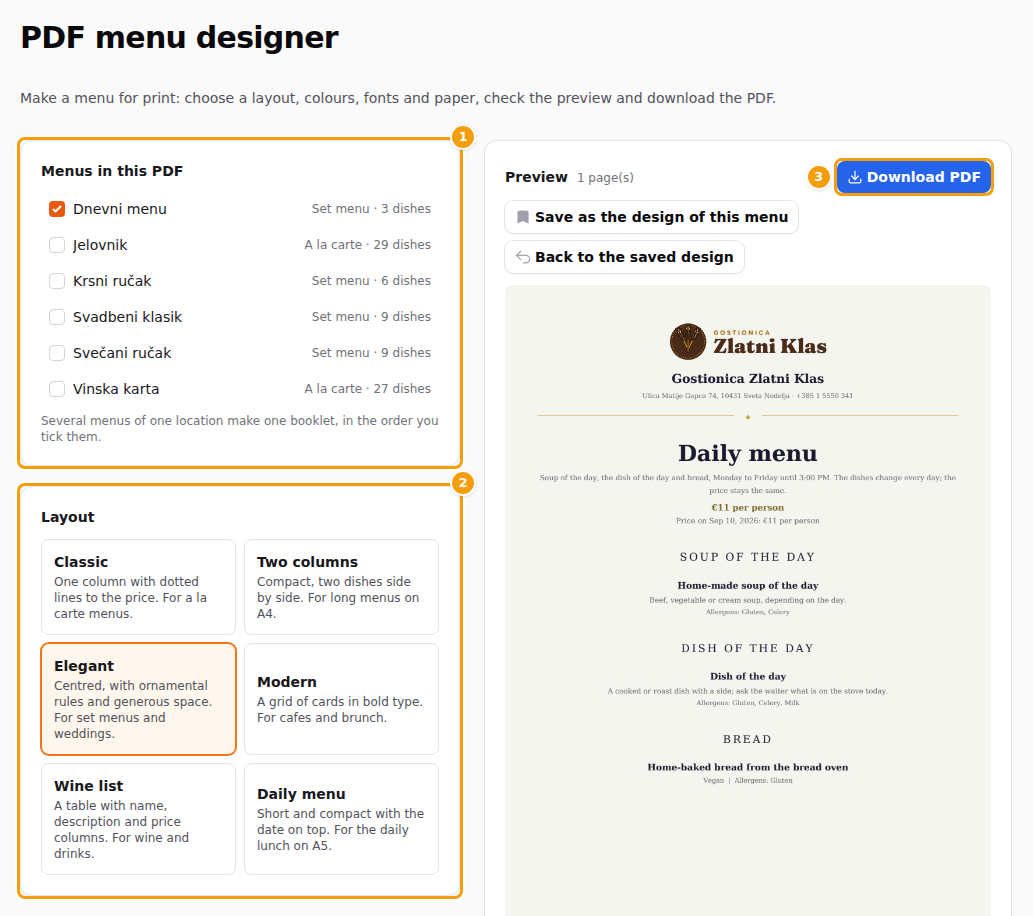
The designer: the menus (1), the layouts (2) and the preview with the Download PDF button (3)
Layouts, colours and paper
| Layout | Best for |
|---|---|
| Classic | one column with dotted lines to the price, for a la carte menus |
| Two columns | compact, two or three dishes side by side, for long menus on A4 |
| Elegant | centred with ornamental rules, for set menus and weddings |
| Modern | a grid of cards in bold type, for cafes and brunch |
| Wine list | a table with name, description and price columns |
| Daily menu | short, with the date on top, for the daily lunch on A5 |
-
Colours: 36 palettes in seven groups, or My colours with three colours of your own. Text colours are always adjusted so that they stay readable on the page; you cannot make a menu that is hard to read. Print friendly prints on a white page with the palette's colours on text and lines, which saves ink with a dark palette.
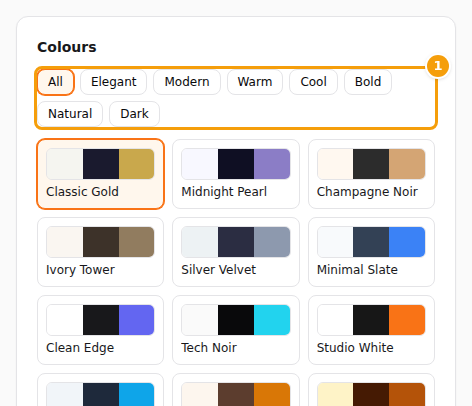
The colour groups (1) and the palettes -
Paper: A4, A5, or a table tent: an A4 sheet you fold in the middle, with the menu on both sides, so guests on either side of the table can read it. A tent holds a short menu; if yours is too long, a note says so.
-
Print: allergens (with the Pro plan), dietary labels, your logo, and a QR code to your booking page.
-
Language: one language per PDF. Choose a second language to print it in smaller italics under each dish name. Dishes without a text in the chosen language are printed in the menu's main language, and a note lists them.
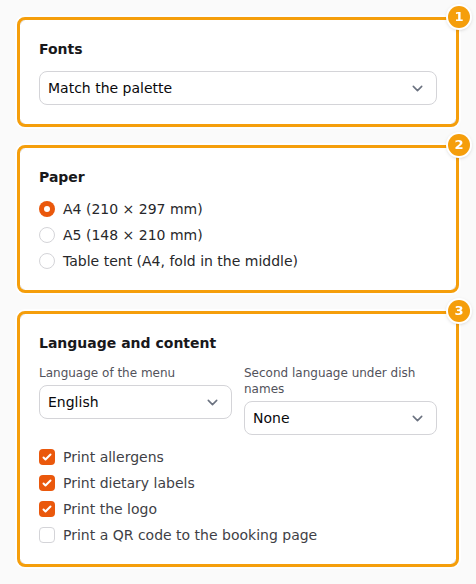
The font pair (1), the paper (2) and the language and content options (3)
Prices and anchor prices
Every price on the sheet is the same price your guests see online, with the same extra lines: the special price, the lowest price in the last 30 days and the anchor price, always on the same row. The footer says Prices valid on and today's date.
Important
A menu for guests in Croatia must show the anchor price next to every price. While a dish, set menu or special has none, the preview carries a DRAFT stamp and Download PDF is not offered. The designer lists what is missing and links to the anchor price wizard, see Anchor prices. Once everything is entered, the stamp is gone.
A PDF made before 17 November already carries the anchor prices, so you can print it for use after that day.
Save the design
Save as the design of this menu keeps the choices with the menu: next time it opens with them, and a copy of the menu starts with the same design. Back to the saved design undoes the changes you have not saved.